23 Sep 2023


Here's a complete step-by-step guide to installing an SMM panel script on your server, with visuals for each stage.
1. Requirements before you start
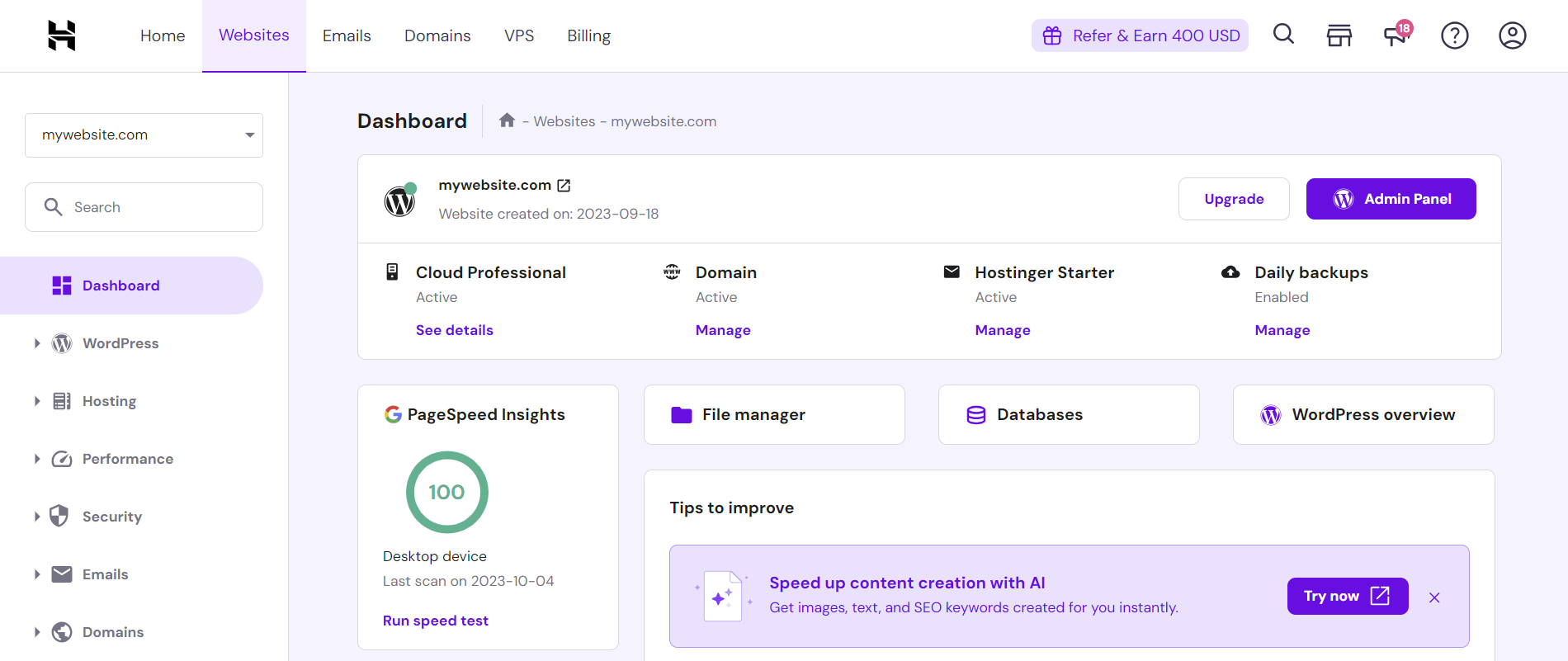
You'll need:
 hostinger
 ![Control-WebPanel [CWP] – Free Linux Web Hosting Control Panel](https://control-webpanel.com/wp-content/uploads/2019/03/slider-admin-dashboard.jpg) control-webpanel
control-webpanel 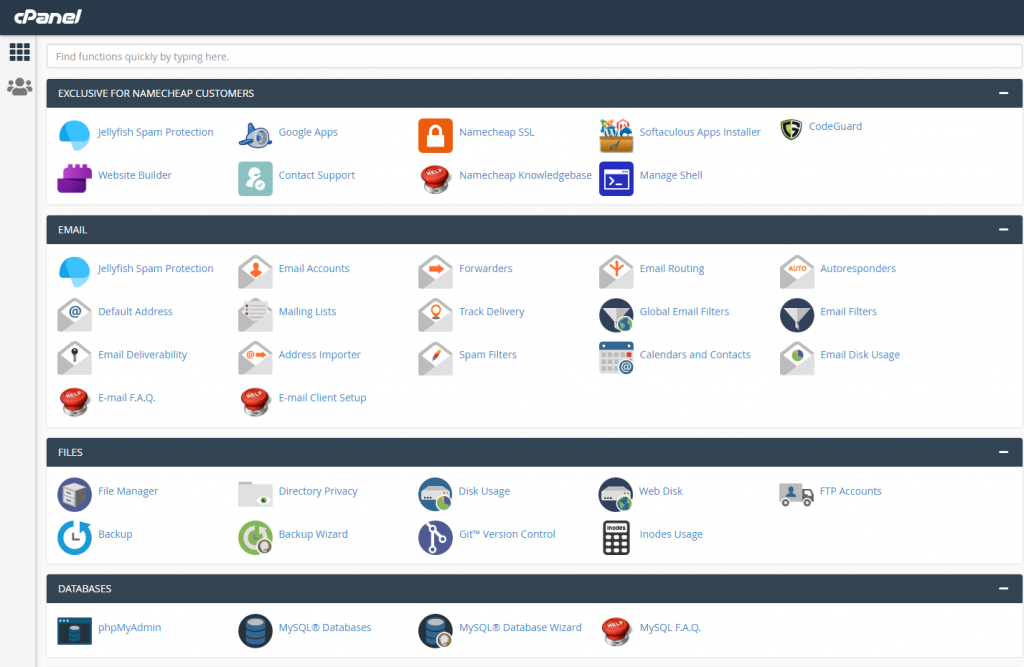 storage.googleapis
2. Create a database
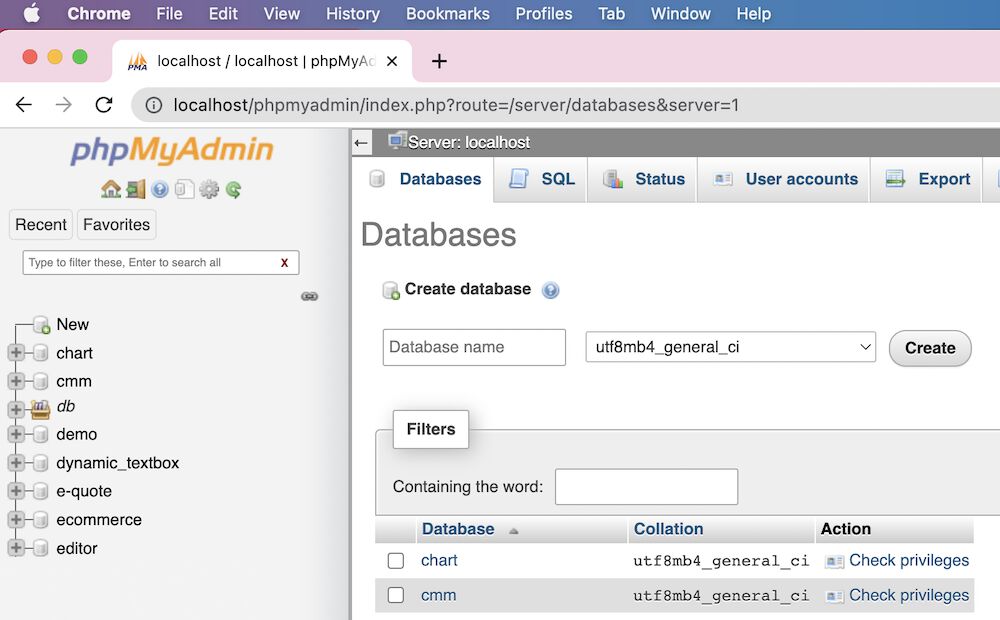
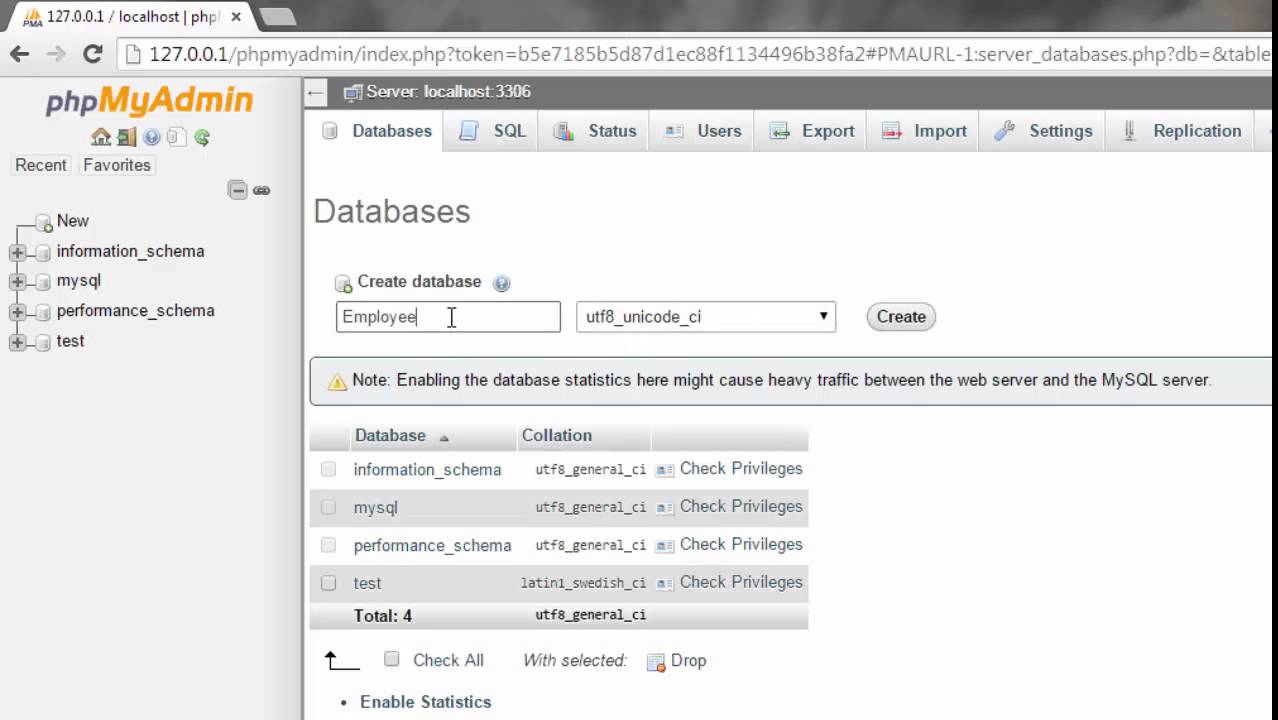
Log into cPanel → MySQL Databases → create a new database, a new database user, and attach that user to the database with All Privileges. Note down the database name, username, and password — you'll need these in step 4.
 homeandlearn.co
  phppot
  YouTube
3. Upload the script files
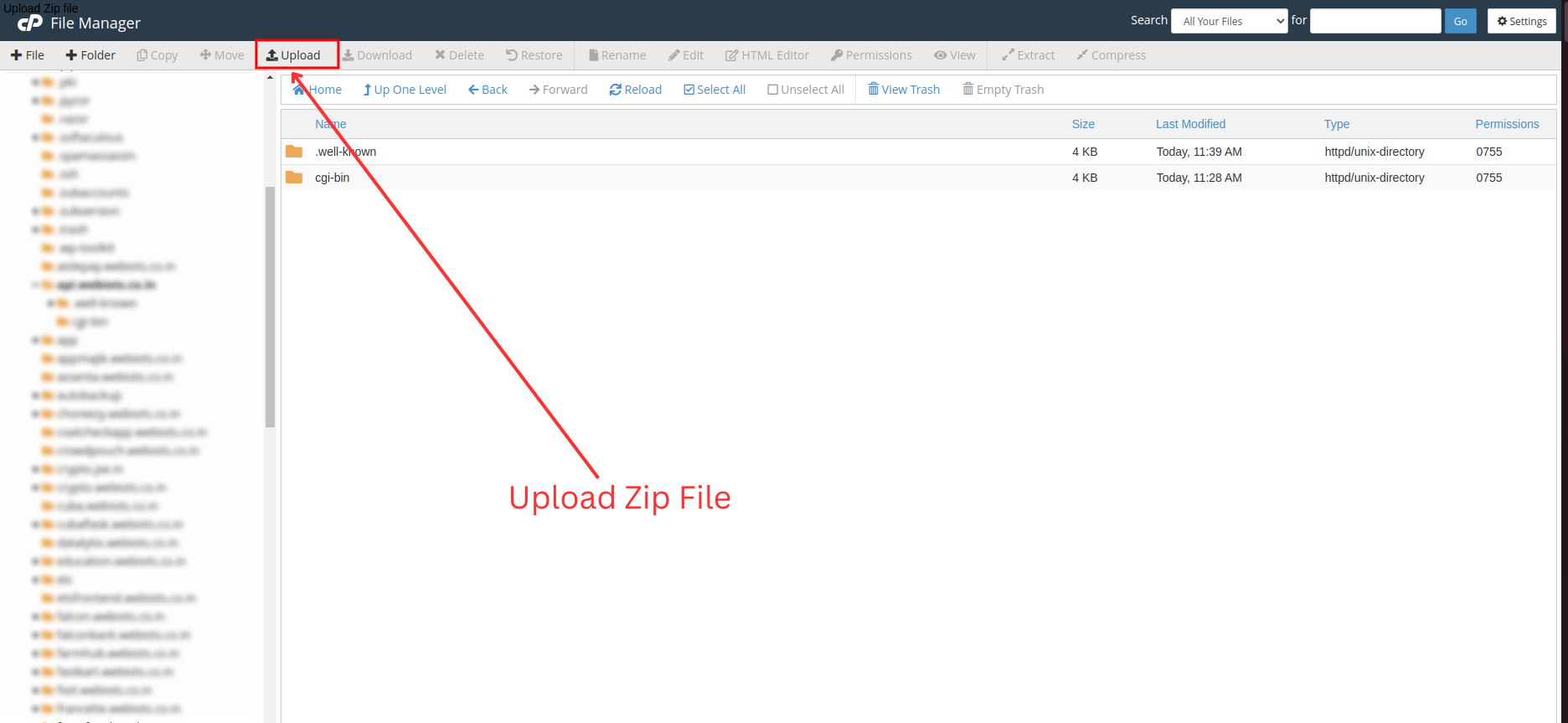
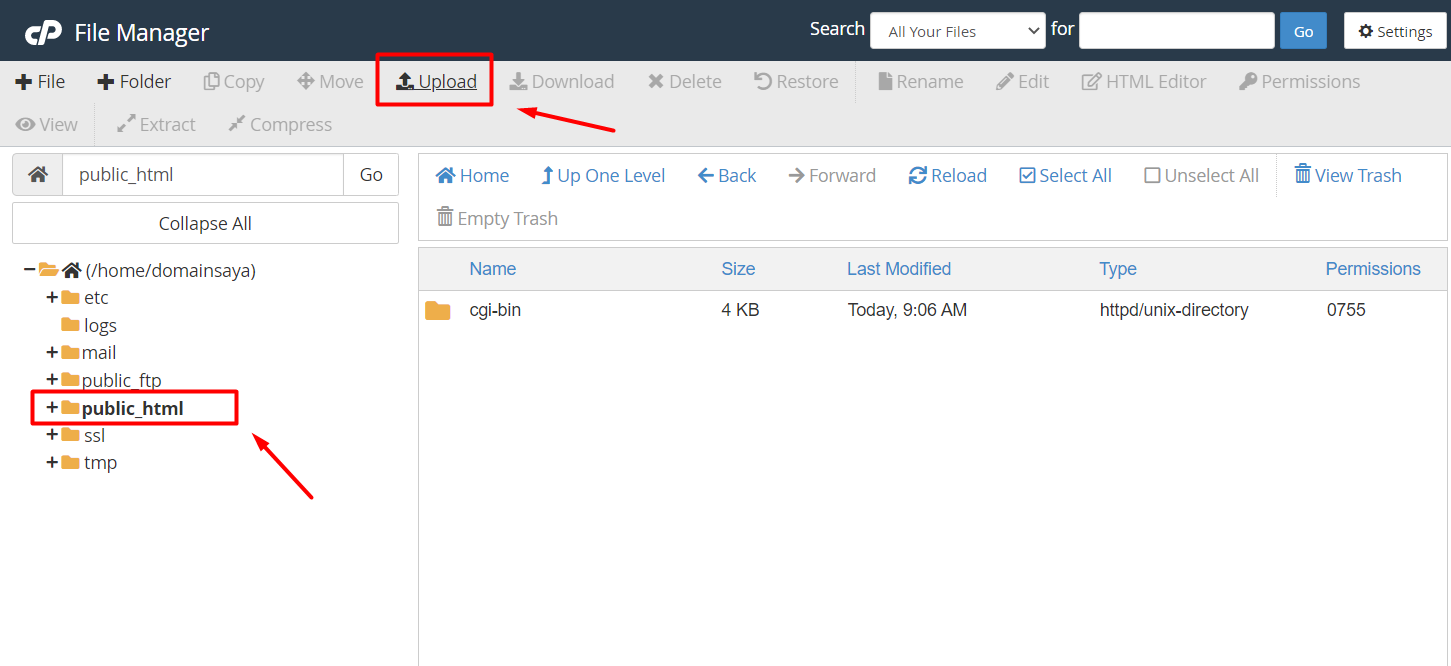
Go to File Manager (or connect via FTP/SFTP using FileZilla), navigate to public_html, and upload your panel's zip file. Extract it directly there so the script sits at your domain root.
 freeparking.co
  docs.pixelstrap
  rumahweb
4. Configure the database connection
Open the script's config file (commonly config.php, .env, or via a setup wizard in the browser) and enter the database credentials from step 2:
php
define('DB_HOST', 'localhost'); define('DB_NAME', 'your_database_name'); define('DB_USER', 'your_database_user'); define('DB_PASS', 'your_database_password');
Then import the panel's SQL file (usually found in an /install or /sql folder) through phpMyAdmin's Import tab, or let the script's setup wizard do it automatically if one is included.
5. Set file & folder permissions
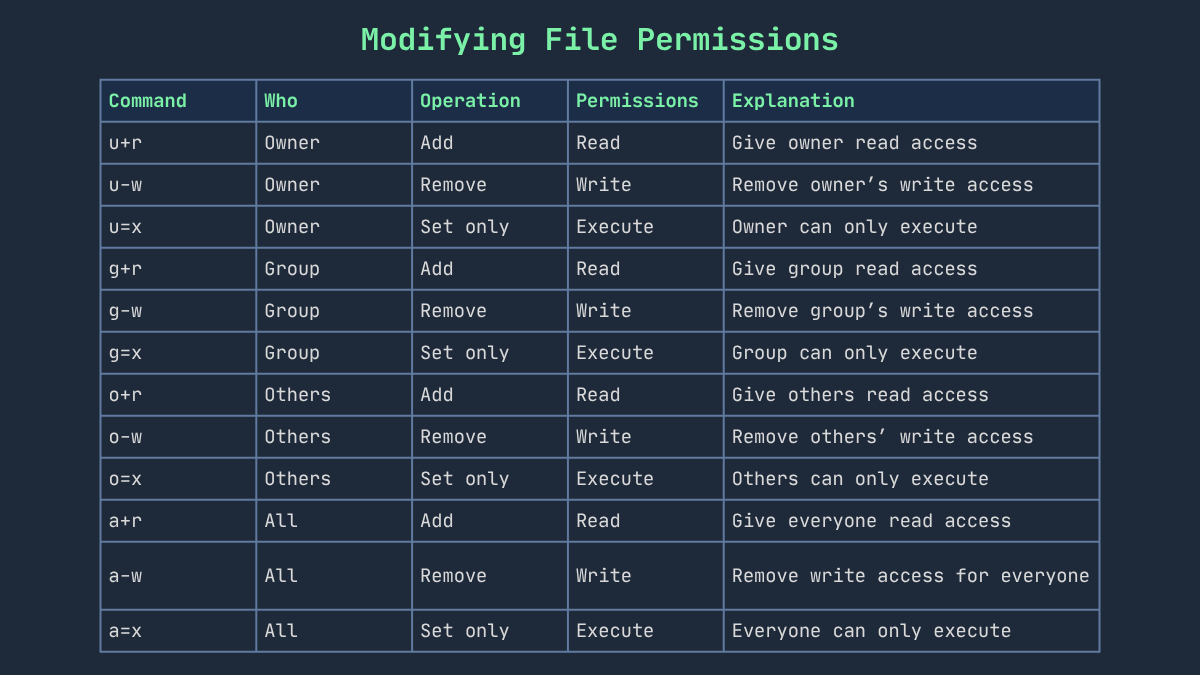
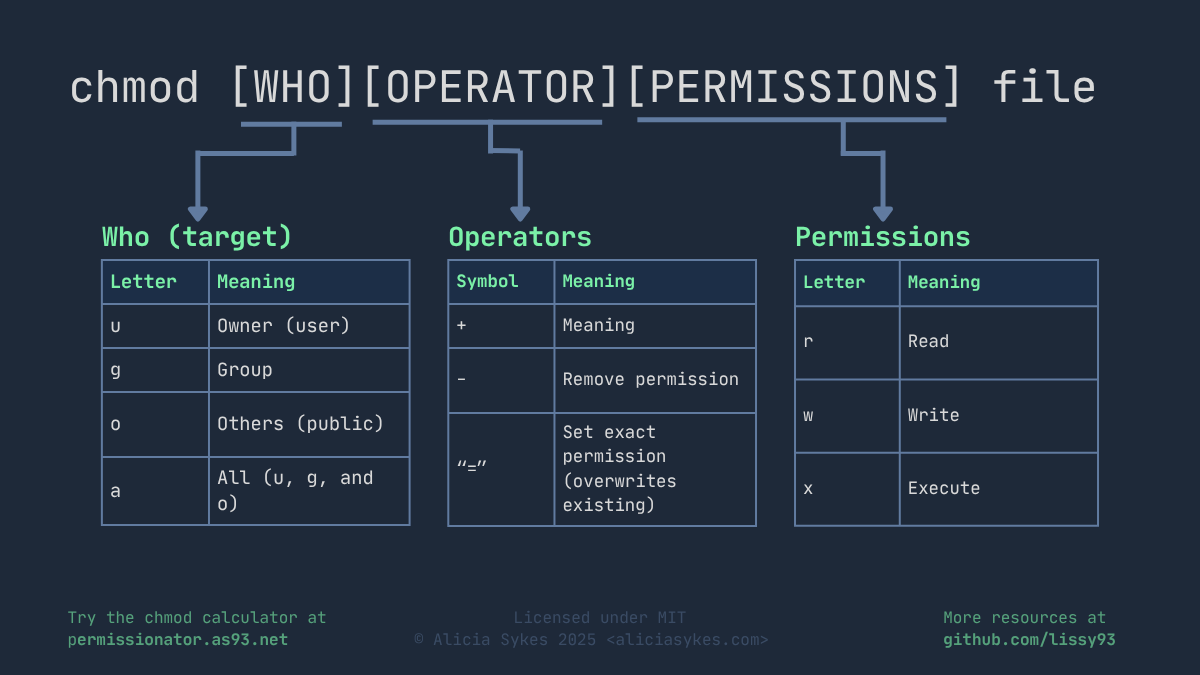
Set folders to 755 and files to 644 — most panels need write access on /uploads, /cache, and /config specifically. Wrong permissions are the #1 cause of blank white screens after install.
 howtouselinux
  permissionator.as93
  permissionator.as93
6. Run the installer / setup wizard
Visit yourdomain.com/install in your browser. Most scripts walk you through admin account creation, site name, currency, and API provider setup here. Delete or rename the /install folder afterward — leaving it live is a common security hole.
7. Set up cron jobs
This is what actually makes the panel functional (covered in detail in the blog post we made earlier) — order processing, status sync, balance checks, and auto-refill all run through cron. In cPanel: Advanced → Cron Jobs → add each schedule pointing to the script's cron files.
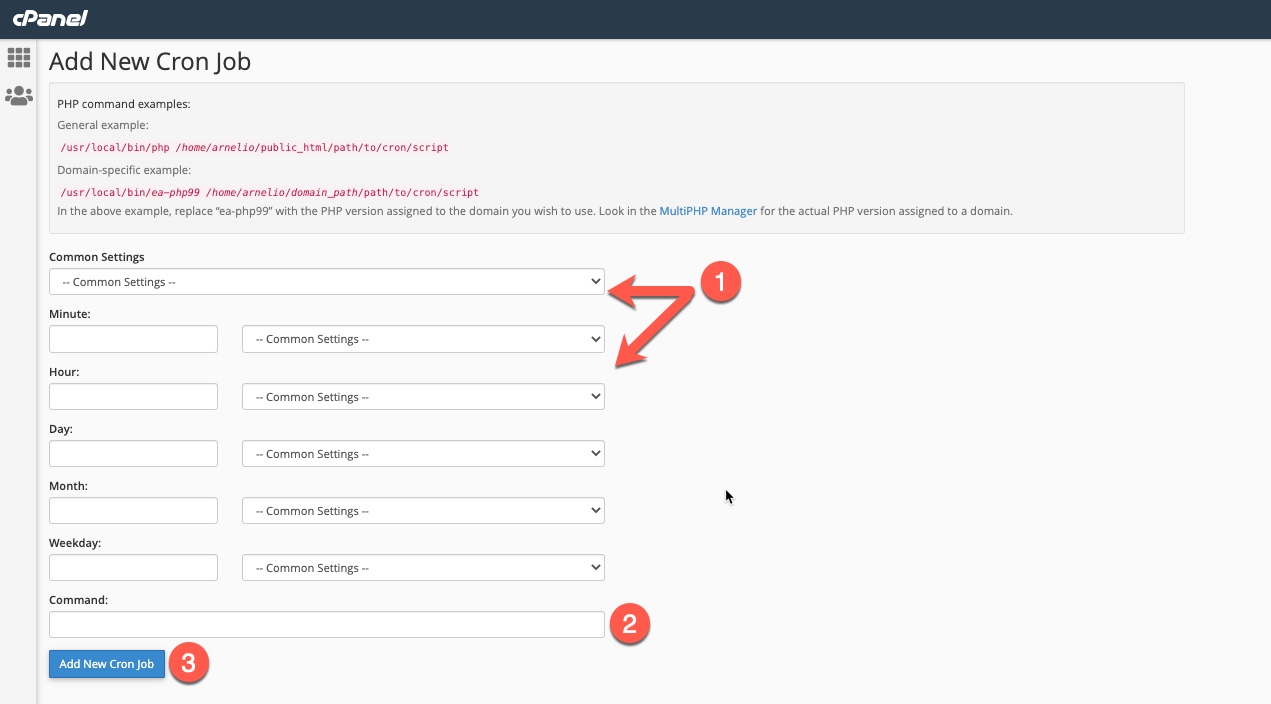 InMotion Hosting
  hosted
  domains.co
8. Install SSL and go live
Enable AutoSSL (Let's Encrypt) in cPanel under SSL/TLS Status, force HTTPS redirects in your .htaccess, then log into your new admin panel and configure your first API provider, payment gateway, and service list.
Quick troubleshooting checklist
If you want, I can turn this into a downloadable step-by-step HTML/PDF guide with your branding and the smmscripts.store link included — just say the word.
23 Sep 2023
Get the updates, offers, tips and enhance your page building experience
Up to Top