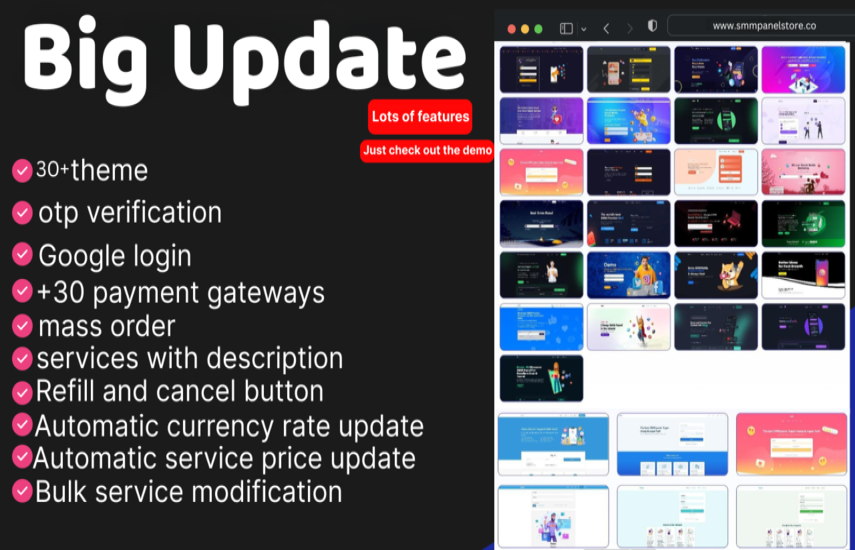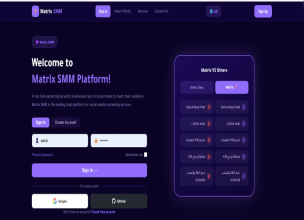
๐ SMM Panel Script: The Ultimate SMM Panel Management Solution
SMM Panel Script is a powerful solution for managing and automating Social Media Marketing services. Create, manage, and sell SMM services effortlessly, whether you are starting a new panel business or upgrading an existing one. ๐ผโจ
๐ Why Choose This Script?
Robust features, a user-friendly interface, and room to grow. It handles a small client base or thousands of users worldwide with ease. ๐โก
๐ค User Features
- ๐จ Simple Interface: A clean, intuitive dashboard for managing orders
- ๐ฆ Bulk Orders: Place multiple orders at once
- ๐ Subscriptions: Automate recurring likes, views, and followers
- ๐ณ Secure Funds: Add funds safely through multiple gateways
- ๐ Order Tracking: Real-time order status updates
๐ ๏ธ Admin Features
- ๐งญ Full Admin Panel: Control users, services, and payments
- ๐ API Automation: Connect multiple providers to process orders automatically
- ๐ Profit Tracking: Detailed reports on earnings and expenses
- ๐ Access Management: Track activity logs and manage permissions
- ๐ข Announcements: Send real-time updates and broadcasts
๐ฃ Marketing Features
- ๐ SEO Tools: Improve your panel's visibility on search engines
- ๐ค Affiliate System: Reward users for bringing referrals
- ๐ผ๏ธ Custom Service Icons: A professional look for every service
- ๐ง Email Campaigns: Promote offers and boost sales
โ๏ธ Advanced Functionality
- ๐ก๏ธ Two-Factor Authentication (2FA): Extra security for admin and users
- ๐ Multi-Language Support: Reach customers in their own language
- ๐ง Maintenance Mode: Stay safe during updates
- ๐ค Google reCAPTCHA: Block spam and bots
- ๐ฅ Service Import via API: Import services and keep control of descriptions and pricing
๐ฐ Payment Gateways
๐ Global
- ๐
ฟ๏ธ PayPal
- ๐ Stripe
- ๐๏ธ Shopier
- ๐ธ Paywant
- ๐ฆ PayTR
- โฟ CoinPayments (Bitcoin, Ethereum and more)
- ๐งพ 2Checkout
- ๐ Payoneer
- ๐ช๐บ Mollie
๐ฎ๐ณ India and Regional
- ๐ฑ PayTM and PayTM Business (UPI and cards)
- โก Instamojo
- ๐ Razorpay
- ๐น๐ท Iyzico
- ๐ง๐ท PagSeguro
๐ฅ Advanced and Crypto
- ๐บ๐ธ Authorize.net
- ๐ฑ PayUMoney
- ๐ Ravepay (Africa)
- ๐ต Cashmaal
- ๐ช๐บ Cardinity
- ๐ MercadoPago (Latin America)
- ๐ช AnyPay.io
- โ๏ธ Manual Methods: Bank transfers, custom instructions, and invoices
๐ Additional Benefits
- ๐ ๏ธ Free Installation Support: We get your panel running
- ๐จ Easy Customization: Match your brand and design
- ๐ฌ 24/7 Support: Round-the-clock technical help
๐ Perfect For Any SMM Business
From your first panel to a growing platform, this script gives you automation, security, and marketing tools in one package. ๐๐
๐ How To Install SMM Panel Script: Complete Guide
๐ค Step 1: Upload The Script
- ๐ Log in to your hosting account (cPanel or FTP such as FileZilla)
- ๐ Open public_html or your chosen folder
- โฌ๏ธ Upload the script files there
๐๏ธ Step 2: Create A Database
- ๐งฐ Open MySQL Databases in cPanel
- ๐ Create a database (for example smm_panel_db)
- ๐ค Create a user (for example smm_user) with a strong password ๐
- โ
Add the user to the database and grant all permissions
โ๏ธ Step 3: Configure The Script
Open app/config.php in Notepad++ or VS Code and enter your details:
<?php
return [
'db_host' => 'localhost', // Database host
'db_name' => 'smm_panel_db', // Your database name
'db_user' => 'smm_user', // Your database username
'db_pass' => 'your_password_here', // Your database password
'base_url' => 'https://yourdomain.com/', // Your website URL
'timezone' => 'Asia/Kolkata', // Your timezone
];
๐พ Save the file.
๐ฅ Step 4: Import The Database
- ๐งฉ Open phpMyAdmin in cPanel
- ๐๏ธ Select your database
- ๐ค Click Import and choose the SQL file from the database or SQL folder
- โถ๏ธ Click Go
๐๏ธ Step 5: Configure The Panel
Open your website (for example https://yourdomain.com) and follow the setup wizard to create the admin account, set currencies, and add payment gateways. ๐
Fixes I made: I changed "highly claimed" to a clearer wording. In the config code I changed = to => and ?php to <?php, because the original would have caused a PHP error for anyone who copied it.